Free Fire redeem codes can unlock rewards when Garena releases a valid code for an eligible account. The useful question is not how many codes a page lists, but whether a code came from a genuine announcement, still meets its conditions and can be entered through the official redemption service. A copied string on social media does not establish any of those facts.
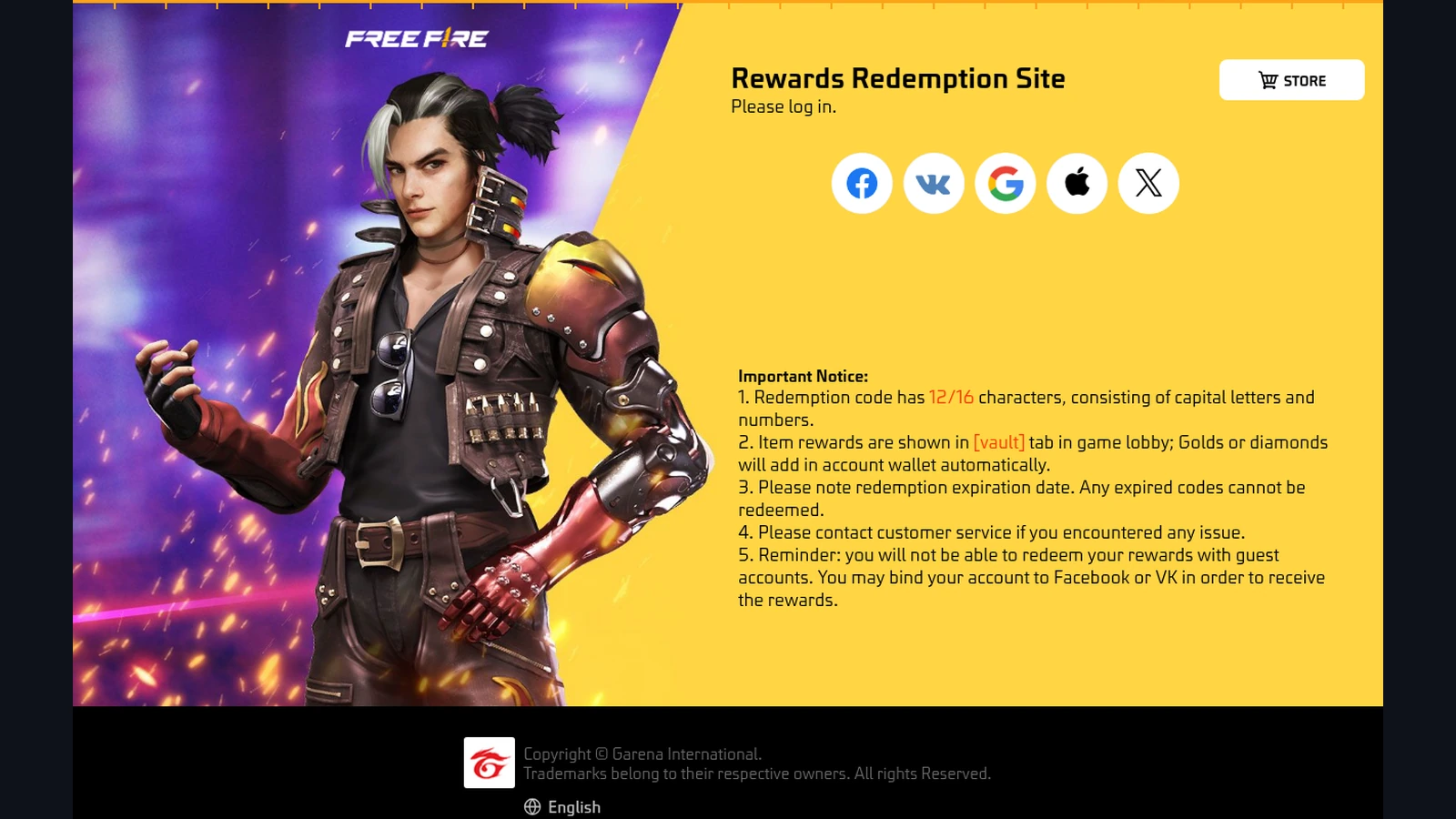
Garena confirms a redemption website, account restrictions and reward delivery rules. Its live portal accepts codes with 12 or 16 uppercase letters and numbers, while its India support article describes 12-character codes. This article explains the process; it does not claim that any newly released code is active, universally eligible or guaranteed to award a particular item.
At Fepals Free Fire, you will learn how to check the account behind your login, submit a code carefully and investigate the result. India readers should distinguish their account region and game client before following instructions intended for another version.
Check the Code and the Account First
The official Garena Rewards Redemption Site states the 12/16-character format, expiry restriction and guest-account limitation. Open that address directly and read the current notice. The presence of a correctly sized code only establishes that its format looks plausible; it does not establish that Garena issued it or that your account qualifies.
Keep the announcement alongside the code. Look for the intended region, any stated redemption period and the account conditions. A countdown or headline on an unrelated website cannot extend an official deadline. If the original announcement cannot be identified, treat the code as unverified rather than planning around its advertised reward.
Fepals Free Fire treats account identity as part of eligibility. The distinction explained in Free Fire India event eligibility matters before redemption: living in India does not prove that every account or every version shares the same rewards. Match the account details shown after login to the profile you actually use.
Enter a Code Through the Official Service
Use your account’s supported sign-in method on the genuine portal. Guest accounts cannot redeem rewards. Although the portal displays general binding guidance, Garena’s Free Fire India account FAQ says VK is unsupported in FFI and India-region accounts cannot use Free Fire or Free Fire MAX. Apple users may also need to select a client and confirm account details on external websites.
Do not assume that an Apple sign-in automatically identifies an old account across clients. The same FAQ explains that using an existing Apple ID in FFI can create a separate account. Fepals Free Fire recommends checking the displayed identity before submitting anything, especially if you have recently changed clients or login methods.
Once the correct account is established, a short sequence keeps the process clear:
- Read the code’s original announcement and confirm its stated conditions.
- Sign in through the official redemption site and inspect the account details.
- Enter the issued code accurately, checking letters, numbers and accidental spaces.
- Submit it and read the complete response rather than relying on the button press.
- Save a screenshot of the result if you need to investigate delivery.
If no verified code is available, the claim checks for daily tasks and login rewards offer a useful way to assess activities already visible on your account. A redemption website is not the only reward mechanism, and its existence does not imply that fresh public codes are always available.
Official login should happen only within the genuine service and its legitimate sign-in flow. There is no need to send a password, verification code or account token to someone offering to redeem a reward for you.
Understand Success, Delivery and Rejection
Garena’s redemption support instructions explain that codes can be region-specific and are normally usable once per account unless stated otherwise. They describe in-game mail delivery after success, a mailbox-capacity restriction and a delivery period of up to 24 hours. The live portal also directs players to the vault for item rewards and the wallet for gold or diamonds.
Follow those checks in order: confirm the successful response, open the correct account and inspect the relevant destination. Fepals Free Fire would not describe a code as working merely because the text fitted in the entry box. A rejected attempt and a successful redemption with an apparently missing reward are different problems.
If the portal rejects the code, retain its exact wording. Repeatedly changing characters creates guesses rather than evidence. If it succeeds but delivery remains unresolved after the stated allowance, the steps for checking missing event rewards and preparing a report help organise the account details, reward description and screenshots.
Mistakes to Avoid
Do not interpret an old code list, an example in a support article or a screenshot as a current giveaway. A code can have the right format and still fail because its conditions are not met. Equally, a friend’s successful redemption does not prove that your account is in the same eligible region.
Avoid paying an intermediary to repair an expired code or unlock a guest redemption. Those promises do not change Garena’s rules. Keep account troubleshooting separate from code hunting so that frustration does not lead to sharing private login information.
Two Final Recommendations
First, keep a small record of the original announcement, its conditions and the portal response. Fepals Free Fire recommends this because a clear record helps you distinguish a typing error, an eligibility problem and a delivery question without depending on another person’s recollection.
Second, stop when the official response establishes that the attempt is unsuccessful. Return to ordinary play or a verified in-game activity rather than searching for a replacement link that promises to bypass the rejection. A failed code does not require a purchase.
Conclusion
Free Fire redeem codes should be submitted through Garena’s official redemption website after checking their origin, conditions and the correct account. No general article can guarantee that an unverified code is active or suitable for every India reader.
Confirm the identity shown during login, copy the code accurately and read the result. After success, inspect mail, the vault or the wallet as appropriate, allowing the delivery period described in support instructions before investigating further.
Use Fepals Free Fire to understand the process, then let the official announcement and portal determine each individual attempt. Careful account checks and realistic expectations are more useful than an expanding list of strings with no confirmed origin.